Skip To Content

What Is the Best Fingerprint Machine for Business?

Choosing a Fingerprint Machine begins with the work it must handle. At a clinic desk, staff may scan dry fingertips under bright lights. At a warehouse entrance, speed and repeated use matter more. The right choice depends on enrollment volume, sensor durability, matching software, integration, accessibility, and support—not a glossy accuracy claim. NIST’s Fingerprint Vendor Technology Evaluation (FpVTE) 2012 compares matching algorithms across test datasets. It reminds buyers that a strong score in one test does not guarantee equal performance in every workplace.

Biometrics researcher Anil K. Jain and coauthors offer a useful definition in their 2004 paper, “An Introduction to Biometric Recognition”: “Biometrics is the science of establishing the identity of an individual based on his or her physical or behavioral attributes.” That is a useful lens. Look for documented false-rejection and false-acceptance rates, tested capture conditions, secure template handling, and clear maintenance terms. Ask how the reader performs with worn, small, or damp fingers. Check whether enrollment fits a busy shift change. Do not confuse an algorithm benchmark with a finished machine. A careful shortlist should compare warranty, software compatibility, cleaning needs, and accessible alternatives alongside price. Vendor claims can sound precise, but testing methods are not always easy to compare. That gap deserves scrutiny. Even a capable device can frustrate staff if placement or enrollment instructions are poor. The sections ahead compare business needs, core specifications, security, integrations, and total ownership cost. “Best” is conditional.
What Is the Best Fingerprint Machine for Business?

Understanding Fingerprint Machines and Their Business Uses

What Is the Best Fingerprint Machine for Business?

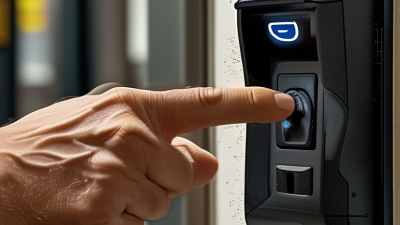
A fingerprint machine reads ridge patterns and compares them with an enrolled template. Businesses use these systems for staff attendance, restricted-room access, and identity checks at shared workstations. Picture a warehouse door at shift change: employees scan a finger instead of searching for an access card. That can make entry quicker, but a scanner still needs sensible setup and maintenance. Dust, worn fingerprints, and hurried scans can cause failed matches.

Accuracy and workflow matter more than a long feature list. NIST’s Special Publication 800-63B sets a false match rate of 1 in 1,000 or better for biometric systems used in digital authentication. It also advises pairing biometrics with a physical authenticator, rather than relying on a fingerprint alone. This is a technical benchmark, not a guarantee that every business device performs the same way. A practical evaluation should test real users, check audit logs, and confirm how templates are protected. A fingerprint is convenient, not magic.

Tips: Test the machine during a busy shift, not only in a quiet office. Keep a fallback method for genuine scan failures, and review who can access stored records. Ask vendors for independent test results and clear retention settings. One awkward detail: clean, dry fingers may still fail sometimes.

Identifying Your Business’s Access and Attendance Needs

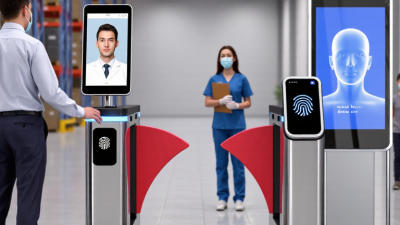
A fingerprint machine is only useful when it fits the way people enter and work. Start by mapping each doorway, shift change, and attendance process. A small office may need one reader beside the main entrance. A busy warehouse may need several devices near separate staff entrances to prevent queues. Watch a real shift change if possible. Five minutes of waiting can become a daily frustration.

Decide whether access control, time tracking, or both matter most. Some systems record clock-in events but do not control doors. Others connect to door hardware and staff records. Check how enrollment works, how quickly a device recognizes users, and what happens when a finger is wet, dusty, or difficult to scan. Test with varied users, not just the person installing it. Real conditions differ.

Plan for exceptions. Employees may forget to clock out, and a sensor may fail during a power or network interruption. Ask whether records can be reviewed and corrected, and whether another approved check-in method is available. Confirm who can view stored records and how long they are retained. Requirements vary by workplace, so review internal privacy and data-handling policies before choosing. A practical device should be easy to manage, but the cheapest option may create more work later. That trade-off deserves a closer look.

What Is the Best Fingerprint Machine for Business? - Identifying Your Business’s Access and Attendance Needs

Business Need Typical Use Suitable Fingerprint Setup Useful Features Key Considerations
Small office attendance Recording employee clock-in and clock-out at one entrance A standalone fingerprint time clock with local user and attendance storage Simple enrollment, downloadable reports, backup power, and a clear display Check record capacity, export options, and how data is backed up before purchase.
Door access control Restricting entry to staff or other authorized users A fingerprint reader connected to an access-control panel or compatible door controller Access schedules, event logs, role-based permissions, and a supported door-release interface Confirm compatibility with the lock, controller, emergency egress, and site security plan.
Multiple locations Managing attendance or access across separate offices or sites Networked readers managed through centralized software, with offline operation where needed Central user administration, permission groups, consolidated reporting, and secure data transfer Assess network reliability, administrator access controls, data location, and outage procedures.
Shift-based or high-traffic workplace Handling many users arriving or leaving within a short period Readers positioned to reduce queues, with enrollment and reporting tools suited to the workforce size Fast user lookup, clear retry prompts, multiple enrollment options, and reliable event storage Test the reader with real users and peak-period traffic; actual matching speed varies by device and conditions.
Wet, dusty, or hands-on work Factories, kitchens, workshops, and other environments where fingers may be dirty or worn A reader tested for the installation environment, paired with an alternative verification method Protective housing where appropriate, adjustable placement, and PIN or card fallback Moisture, dirt, cuts, and worn fingerprints can affect capture; evaluate environmental ratings and cleaning needs.
Payroll and timekeeping integration Sending attendance records into a workforce or payroll process A time clock or access system with a documented, compatible export or integration method CSV export or supported software integration, timestamped logs, and correction workflows Verify data fields, time-zone handling, rounding rules, and approval processes with the receiving system.
Privacy-sensitive workplace Using biometric verification while limiting unnecessary collection and exposure A system with clear biometric-data controls and a practical non-biometric alternative Restricted administrator access, encryption details, retention settings, and documented deletion procedures Review applicable privacy and employment laws, provide required notices, and assess whether consent or an alternative is needed.

Selection tip: Choose a system based on whether the primary need is attendance, door access, or both. Confirm user capacity, integration requirements, environmental suitability, fallback methods, and biometric-data safeguards against the actual site and workforce.

Comparing Fingerprint Machine Types and Features

What Is the Best Fingerprint Machine for Business?

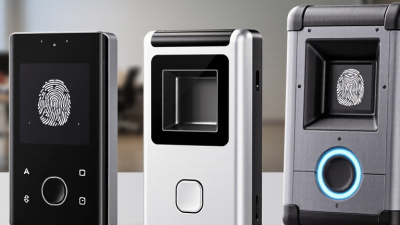
Fingerprint machines differ in both sensor technology and physical design. Optical readers capture an image of a finger, while capacitive sensors detect ridge patterns through electrical signals. Some models use ultrasonic sensing, which may capture more surface detail. Performance still depends on clean sensors, suitable placement, and the condition of users’ fingers. There is no perfect reader.

For a fixed reception desk, a desktop unit can make staff enrollment easier. A wall-mounted terminal may suit attendance or controlled workplace entry, while a portable reader offers flexibility across several locations. Compare enrollment capacity, verification speed, connection options, and compatibility with your existing systems. Check how the device handles dry, worn, or slightly damp fingers. A specification sheet can look reassuring, yet it cannot show how well the reader works during a busy shift.

Tips: Test shortlisted devices with different users and lighting conditions before buying. Notice how often people need to retry. Confirm that access permissions and stored biometric data can be managed securely. Small details matter. If employees wear gloves or perform manual work, fingerprint matching may be less consistent; consider a backup method, too.

What Is the Best Fingerprint Machine for Business?

Comparing the sensing principles used in common fingerprint reader types.

A value of 1 means the sensing principle is used; 0 means it is not. Optical readers capture fingerprint images using light, capacitive readers sense electrical capacitance, and ultrasonic readers use sound waves. Multispectral readers use multiple wavelengths of light. No type is best for every business: compare enrollment speed, operating conditions, liveness detection, system integration, and privacy requirements before choosing.

Assessing Accuracy, Security, Integration, and Cost

What Is the Best Fingerprint Machine for Business?

The best fingerprint machine is not simply the one with the fastest scan. Accuracy should remain reliable when fingers are dry, damp, or lightly worn from daily work. Ask vendors for independent test results and check both false rejection and false acceptance rates. A lab score may not match your workplace. Small differences matter.

Security deserves equal attention. Look for encrypted fingerprint templates, clear access controls, and audit logs that show who changed settings. Confirm how data is stored and deleted. Integration can also make or break a purchase: check compatibility with your access system, timekeeping software, and network, including what happens during an outage. A smooth demonstration is useful, but it may hide setup work.

Tips: Test the device with a small, varied group before rollout. Track failed scans, queue times, and support requests for several weeks. Compare the full cost: hardware, installation, maintenance, training, and replacement parts. A low purchase price can become expensive. I would still leave room for staff feedback; people may find the enrollment process frustrating, even when the machine performs well.

Matching Machine Capabilities to Business Requirements

The best fingerprint machine is the one that fits the work, not the one with the longest feature list. A small clinic handling scheduled check-ins has different needs from a warehouse recording shift changes. Estimate how many people will scan each hour, where the device will sit, and whether staff need portable or fixed equipment.

Check the sensor’s performance with the people and conditions you actually expect. Dry skin, worn fingerprints, dust, and bright sunlight can affect capture quality. Ask for a live demonstration using varied fingers, not just a clean sample on a screen. Watch how long enrollment takes and what happens after a failed scan. Seconds add up. A dependable fallback, such as staff-assisted verification, can prevent a queue from forming. The fallback may be less elegant than the brochure suggests, but it matters.

Compatibility deserves equal attention. Confirm that the machine can connect to your existing access, attendance, or record system, and clarify who will maintain the connection. Review storage, permissions, and audit options with your technical and privacy teams before rollout. For a pilot, test the device at the actual doorway or counter during a busy period. A quiet office test can miss glare, crowding, and awkward hand placement. One detail is easy to overlook: a fast scanner is not useful if employees cannot reach it comfortably.