What Is a Biometric Attendance Machine?
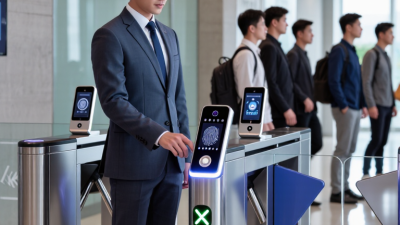
A Biometric Attendance Machine records when employees arrive and leave by checking a measurable human trait, such as a fingerprint, face, or iris. Instead of relying only on paper sign-in sheets or shared access cards, it links a verified identity to a time entry. A fingerprint reader at an office entrance or a camera-mounted terminal beside a factory clock-in point makes the process easy to picture.
The basic workflow is straightforward. A person enrolls with permission, the device captures biometric data, and later scans are compared with an enrolled reference. If the match meets the system’s threshold, the attendance record is saved. Results depend on more than the sensor: lighting, finger placement, network access, and enrollment quality can all affect recognition. Small details matter.
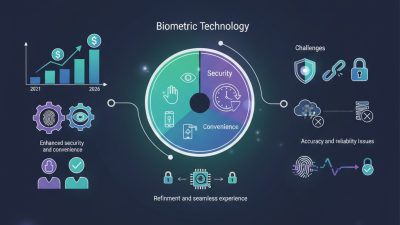
This guide explains common machine types, how attendance data is handled, and what organizations should assess before choosing a system. Useful questions include whether the terminal works during network outages, how records can be reviewed, and what safeguards protect stored data. A biometric match is not infallible, and a missed scan should have a clear, practical correction process. People may also have concerns about privacy or accessibility, so clear communication and a suitable alternative matter. No device solves every attendance problem. In practice, the best choice is not always the newest model; it is the one that fits the workplace, performs reliably, and is managed responsibly.
Definition and Purpose of a Biometric Attendance Machine
A biometric attendance machine is a time-recording device that identifies a person through a physical or behavioral trait, such as a fingerprint, facial features, or an iris pattern. After enrollment, the machine compares a new scan with a stored template and records a clock-in or clock-out time when it finds a match. The purpose is to connect attendance records to individual employees, rather than relying only on handwritten sheets or shared cards.
That is the basic idea. In a busy workshop, for example, staff might scan at a wall-mounted reader near the entrance before putting on gloves. The system can collect timestamps for attendance reports and help managers spot missing punches or repeated delays. It does not, by itself, explain why someone arrived late or prove how long they worked. A forgotten clock-out or a smudged sensor can leave an incomplete record. Small details matter.
For useful results, the device needs careful enrollment, clear instructions, and a process for correcting errors. Managers should also limit who can view attendance data and explain how it is handled. Biometric matching is not infallible, and some workers may struggle with a particular sensor. Offering a practical alternative can prevent a technical problem from becoming an attendance dispute. The machine records a signal; people still need to review what that signal means.
Biometric Methods Used to Identify Employees
Biometric attendance machines identify employees by measuring physical traits and comparing them with an enrolled reference. The method chosen affects speed, accuracy, hygiene, and performance in a real workplace.
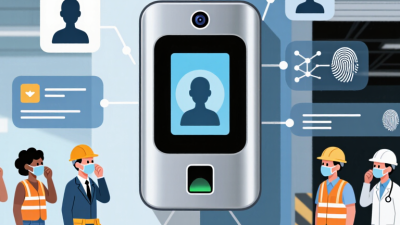
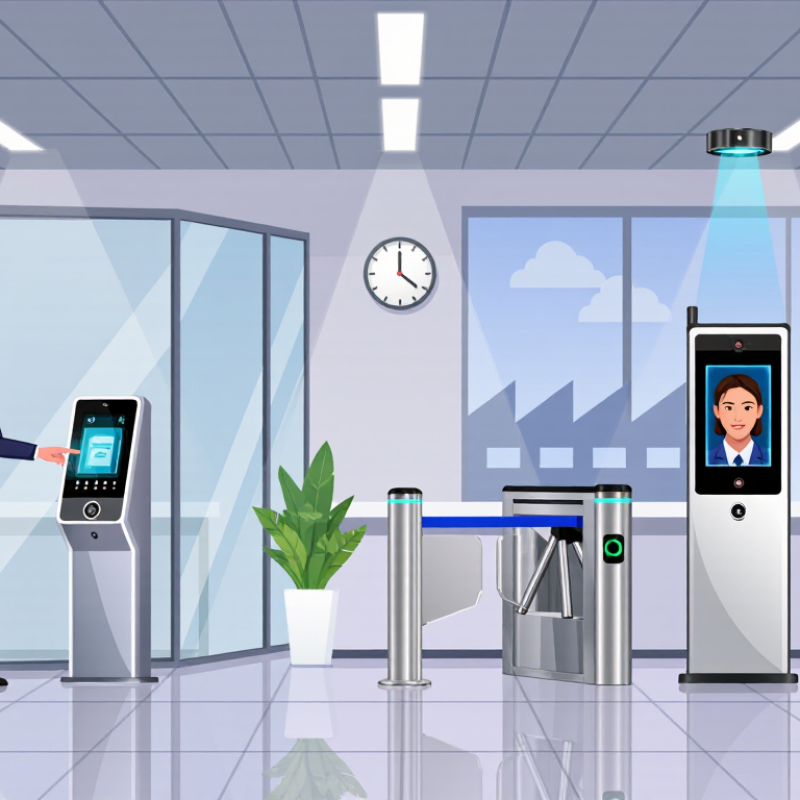
Fingerprint readers are common because a quick touch can confirm a match. Dry skin, cuts, dirt, or worn ridges may cause a failed scan, so a backup check matters. Facial recognition works without contact, but lighting, camera angle, masks, and changes in appearance can affect results. Iris systems examine patterns around the pupil and can be precise, though some employees may dislike standing close to a camera. Palm or vein readers use patterns beneath the skin. They can reduce direct contact, but device placement and enrollment quality still matter.
Many systems convert captured features into protected templates, but storage practices vary. Matching thresholds balance convenience against false acceptance or rejection. No method is flawless. Administrators should test devices across shifts, job tasks, and different workplace conditions, then provide an alternative for exceptions. That takes planning. Attendance records should have limited access and a clear retention period. I would not judge a device by a polished demo alone; dusty hands during a busy shift change tell a more honest story.
How Attendance Verification and Time Recording Work
What Is a Biometric Attendance Machine?
How Attendance Verification and Time Recording Work
A biometric attendance machine links a person’s identity to a clock-in or clock-out event. During enrollment, it captures a fingerprint or facial image and creates a digital template. At the time clock, a fresh scan is compared with that template. If the match passes the device’s threshold, it records a timestamp and employee ID. Some systems check for signs of a live face; others rely on different sensors.
The record may then sync with attendance software, where managers review shifts, breaks, and exceptions. A missed scan can still happen: a wet finger, poor lighting, or a hurried queue may interrupt verification. A biometric match is not automatically a correct timesheet. The U.S. National Institute of Standards and Technology’s 2019 Face Recognition Vendor Test found that false-match rates for many facial recognition algorithms varied substantially across demographic groups, sometimes by factors of 10 or more. That finding concerns facial matching, not every attendance device, but it makes testing across real users important.
Tips: Test scans in the actual entry area, including dim light and busy shift changes. Keep a clear process for correcting missed punches, and limit access to attendance records. Convenient, yes. Infallible, no.
Common Applications, Benefits, and Limitations
A biometric attendance machine records work hours by matching a person’s fingerprint, face, or other physical feature. Offices may use one at an entrance, while factories place devices near shift-change areas. Clinics and schools may also use them to manage staff attendance. The exact setup depends on the workplace and the system.
Automated checks can reduce manual entry and make attendance records easier to review. They may also discourage “buddy punching,” when one person clocks in for another.
Quick and convenient.
Still, the machine is not foolproof. Dust, poor lighting, wet fingers, or changes in appearance can cause failed scans. Some people may also have difficulty using a particular sensor. Depending on the device, biometric data may be stored as a template; organizations should explain what is collected, how long it is kept, and who can access it.
Tips: Test the device during busy shift changes, not just in a quiet office. Provide a backup check-in method for scan failures, and review access records regularly. Keep instructions clear and offer help with enrollment. A smoother rollout takes effort, and the backup process is easy to overlook.