What Is the Best Face Verification System in China?
The best Face Verification system in China is not simply the one that matches faces fastest. It is the one that performs reliably under real conditions, from bright office lobbies to crowded station entrances. A camera may capture glare on glasses, a turned head, or a face partly hidden by a scarf. Those details matter. So does the system’s ability to detect spoofing and handle uncertain matches without creating unnecessary friction.
Biometric scholar Anil K. Jain describes the field this way: “Biometrics refers to the automatic recognition of individuals based on their physiological and behavioral characteristics.” That definition points to a broader evaluation than headline accuracy. A careful comparison should examine independent testing, performance across demographic groups, liveness detection, privacy safeguards, processing speed, and integration with existing systems. A high score in one controlled test does not guarantee dependable results in every deployment. No system is flawless.
This article explores how to assess leading Face Verification options available in China, rather than treating a single vendor claim as a final verdict. It considers what buyers should ask about data handling, failure rates, operational support, and the conditions behind published benchmarks. Product capabilities can change, and public information may be incomplete. That is worth admitting. The practical choice depends on the setting, the people affected, and the safeguards that accompany the technology—not just a polished demo on a showroom screen.
How Face Verification Systems Work in China
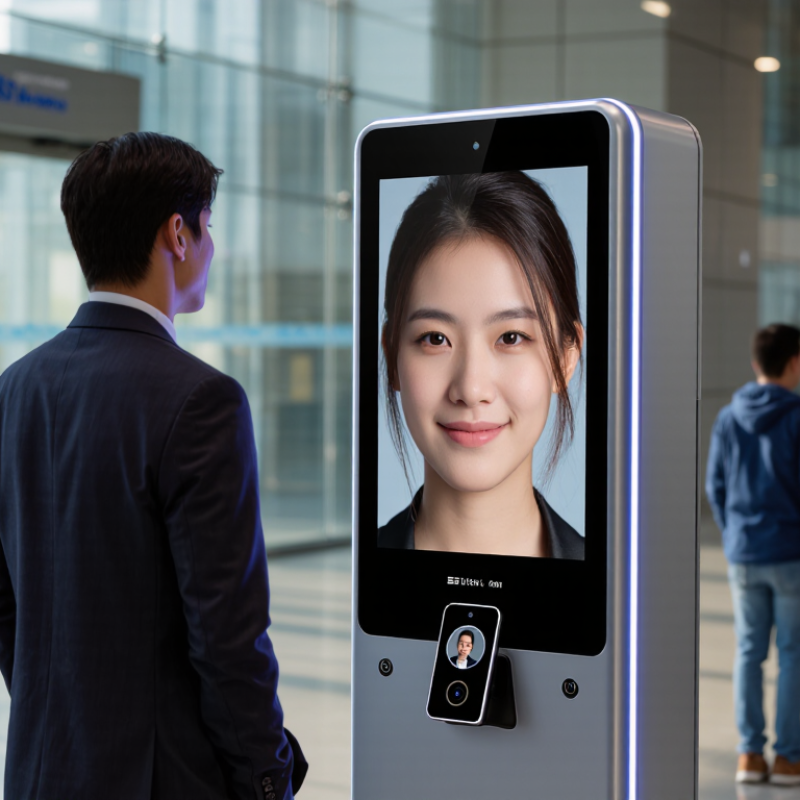
In China, face verification typically begins with a camera capture during account setup or a later identity check. The system checks image quality, such as lighting, focus, and whether the face is clearly visible. It then maps facial features into a mathematical template. The template is compared with an enrolled reference, rather than judged by a person looking at the screen.
A liveness check may look for natural movement or other signs that the camera is seeing a real person. The exact method varies across services and devices. For example, a phone camera in a bright room may produce a cleaner capture than one in a dim elevator. The system compares the new template with its reference and applies a similarity threshold. A close match may pass; an uncertain result can trigger another attempt or a different verification step. No system is perfect. Glasses, camera quality, age-related changes, and inconsistent lighting can affect results.
Tips: Face the camera directly, remove strong backlighting, and keep your lens clean. Read the service’s privacy information before enrolling. If a result seems wrong, try better lighting or use an available alternative check.
What Is the Best Face Verification System in China? - How Face Verification Systems Work in China
There is no single best system for every situation. The right choice depends on the required assurance level, user experience, deployment environment, privacy safeguards, and applicable Chinese laws and standards.
| System approach | How verification works | Typical use in China | Main advantages | Key limitations | Best fit |
|---|---|---|---|---|---|
| Face match with document check | Compares a live face image with the portrait on an identity document; some workflows also check document authenticity. | Remote account opening, identity checks, and service enrolment where document review is required. | Links the face check to an identity document and can support remote onboarding. | Image quality, document fraud, and differences in capture conditions can affect results. A face match alone does not prove that a document is genuine. | Remote onboarding that requires an identity-document step and a review path for uncertain results. |
| Face match with a trusted reference photo | Compares a newly captured face with a previously enrolled reference image associated with an account or identity record. | Account access, repeat identity checks, and selected in-person or online verification flows. | Can make repeat checks faster when enrolment was reliable and the reference image is current enough. | Depends on the security and accuracy of the original enrolment; appearance changes and poor lighting may cause mismatches. | Returning users who have already completed a suitably protected enrolment process. |
| Face match with presentation-attack detection | Combines face matching with checks intended to detect presentation attacks, such as a printed photo or a replayed image. | Higher-risk remote verification, subject to the service’s risk assessment and legal basis. | Provides a defence against some spoofing attempts beyond a basic image comparison. | No liveness method is foolproof; performance varies with devices, attack types, and capture conditions. | A balanced option for remote verification when paired with secure enrolment, testing, and a fallback route. |
| Assisted or attended face verification | A staff member or trained reviewer checks the person and supporting evidence, with automated face comparison used as an aid where appropriate. | Cases where an automated result is uncertain, higher-impact decisions, or users who need assistance. | Allows context-sensitive review and a way to resolve some automated failures. | Requires trained staff, consistent procedures, and careful handling of identity data; review can take longer. | High-impact or exception workflows where an automated match should not be the sole decision-maker. |
| On-device face verification | Face comparison is performed on a user’s device, often against a locally stored reference, rather than sending every verification image to a central service. | Device access and applications that support local biometric authentication. | Can reduce transmission of face images and provide a convenient user experience. | Availability and security depend on the device and implementation; it may not establish a person’s legal identity by itself. | Convenient access to an already enrolled device or account, rather than identity proofing on its own. |
| Human review or alternative verification | Uses document review, account evidence, in-person checks, or other approved methods instead of requiring face verification. | Fallback for users who cannot or do not wish to use face verification, and for disputed results. | Improves accessibility and avoids making facial recognition the only route to a service. | May require more time or staff and needs safeguards against inconsistent decisions. | Essential as a fallback for false rejections, accessibility needs, and situations where face verification is unnecessary. |
Related Posts
-
Mastering International Standards for Best Face Verification Import and Export Compliance Guide
-
How Best Face Verification Transforming Security: Case Studies and Industry Insights
-
Exploring Innovative Alternatives to the Best Biometric Device for Global Buyers
-
10 Compelling Reasons to Choose the Best Biometric Access Control for Your Business
-

Ultimate Guide to Implementing Biometric Entry Systems in Your Workplace
-

The Comprehensive Ultimate Guide to Biometric Security Solutions for Your Business