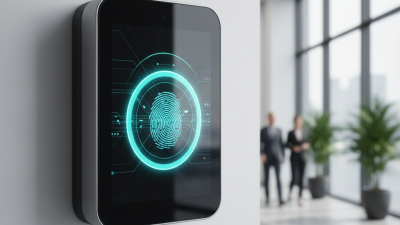
Choosing the 2026 Best Fingerprint Attendance System for Global Buyers requires more than comparing prices and screen sizes. A reliable Fingerprint Attendance System should record clock-ins quickly, reduce duplicate entries, and remain stable during busy shift changes. In a warehouse, an employee may touch the scanner with dusty hands at 7:58 a.m. In a hotel, the same device may face frequent use, humidity, and different working schedules. These details matter more than attractive product photos.
Global buyers should examine sensor quality, enrollment speed, offline operation, cloud options, and integration with payroll software. Data protection also deserves careful attention. Suppliers should explain how templates are stored, transferred, backed up, and deleted. Local privacy requirements may differ, so professional advice and internal compliance reviews remain important. A dependable vendor should provide test records, firmware policies, user manuals, warranty terms, and responsive technical support across time zones.
No shortlist is perfect. A low-cost terminal may perform well in an office but struggle in a factory. A powerful cloud platform may create unnecessary costs for a small team. Buyers should request a live demonstration and test several fingers under realistic conditions. Ask about damaged fingerprints, temporary workers, network outages, and replacement procedures. These questions reveal practical experience.
The strongest 2026 choice will balance accuracy, usability, security, lifecycle cost, and regional support. Marketing claims are only a starting point. Independent reviews, documented specifications, and hands-on trials provide stronger evidence. Some recommendations may change as technology and regulations develop. That uncertainty deserves honest consideration.
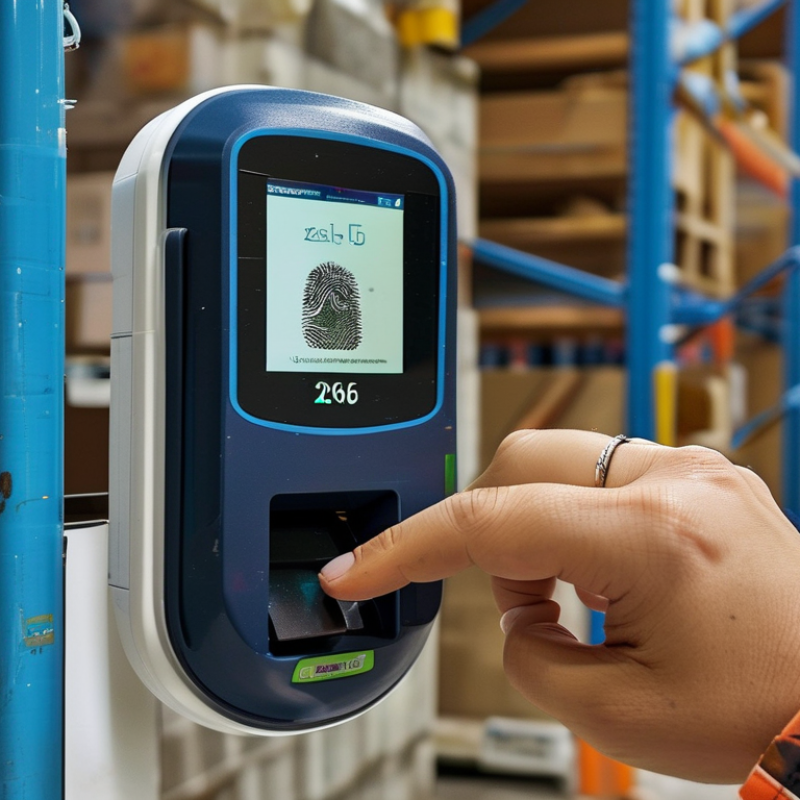
A fingerprint attendance system identifies employees through unique fingerprint patterns, then records their clock-in and clock-out times. During enrollment, the device scans a finger and converts its features into a biometric template. It should not store a simple photograph of the fingerprint. At each entry, the reader compares a new scan with the stored template and creates an attendance event. That event may include the employee ID, time, device location, and verification result.
The technology is practical, but it is not perfect. Dust, wet fingers, cuts, cold weather, or poor sensor placement can cause false rejections. A backup method is necessary, especially in factories and outdoor workplaces. NIST Special Publication 800-63B also treats biometrics as a sensitive authentication factor, requiring careful protection and additional controls in many situations. Verizon’s 2024 Data Breach Investigations Report found human involvement in 68% of analyzed breaches. Therefore, administrators need role-based access, audit logs, encryption, and strict retention limits. IBM’s 2024 Cost of a Data Breach Report placed the global average breach cost at 4.88 million US dollars. That figure makes careless biometric storage difficult to justify. Global buyers should test accuracy with real workers, not only laboratory samples. A polished specification can still hide weak maintenance, unclear consent procedures, or unreliable network recovery.
The chart shows the image count in each database of the public FVC2004 fingerprint benchmark. Each database contains 100 fingers with 8 impressions per finger, producing 800 fingerprint images. This benchmark illustrates why global buyers should compare capture quality, enrollment reliability, matching performance, and compatibility with different fingerprint conditions rather than choosing a system by brand name alone.
A fingerprint attendance system turns a finger scan into a time record. During enrollment, the sensor captures fingerprint ridges and identifies details such as endings, splits, and spacing. It converts these details into a digital template, rather than storing a normal fingerprint photograph. The template is linked to an employee number. It is fast.
When an employee touches the sensor, the device checks the new pattern against the stored template. A matching algorithm measures similarity against a set threshold. If the result is strong enough, the system records the employee, date, time, and device location. Some systems work offline and synchronize data when the network returns. That matters in warehouses, construction sites, and remote offices. However, matching is not magic. Dust, moisture, worn fingerprints, poor sensor placement, or hurried touches can cause rejection.
From practical evaluation, accurate enrollment makes the largest difference. Each finger should be scanned several times, with the finger placed naturally. Administrators should also provide a secure alternative for damaged or unreadable fingers. The system should use access controls, encryption, audit logs, and clear retention rules. Requirements differ across countries, especially for biometric data and employee consent. Global buyers should confirm local obligations before deployment. A fingerprint terminal may reduce buddy punching, but it cannot fix weak attendance policies. I have seen teams blame the sensor when lighting, cleaning, or user training was the real problem. The lesson is imperfect but useful: technology needs daily care.
A global attendance system must perform reliably in warehouses, offices, and remote branches. During testing, check enrollment speed, fingerprint accuracy, and performance with dry or worn fingertips. A clear screen helps workers correct failed scans without constant assistance. No device is perfect. A short pilot often reveals problems hidden in product demonstrations.
Compare offline operation, cloud synchronization, and support for different time zones. The system should store attendance records locally during network outages, then sync them safely later. Look for multilingual menus, role-based access, exportable reports, and API support for payroll software. Audit logs should show who changed a record and when. These details matter during payroll disputes.
Security requires more than a fingerprint sensor. Ask whether the system stores encrypted biometric templates instead of raw images. Check deletion controls, retention settings, administrator permissions, and documented security updates. The supplier should explain its privacy practices clearly and support lawful data handling in each operating region. Independent testing or recognized security certifications can strengthen trust, but certificates do not replace practical testing. Also inspect the casing, power backup, temperature range, and service response time. A low purchase price can become expensive when replacement parts or technical support are unavailable.
Choosing the best fingerprint attendance system depends on the workplace, not only the sensor. A quiet office may need fast enrollment, desktop access, and simple leave reports. A factory needs stronger hardware, dust resistance, and reliable performance during shift changes. Outdoor sites require weather protection and stable offline recording. Test the device with dry, wet, and worn fingerprints before purchasing. Real conditions reveal more than product specifications.
Security also deserves careful attention. Select a system with encrypted data, role-based access, secure backups, and clear retention settings. Check whether local privacy rules require employee notice or consent. The system should support different schedules, overtime rules, holidays, and multiple locations. It should also export accurate records for payroll. Small reporting errors can become expensive. Do not assume every workplace needs the most advanced model; unnecessary features increase training time and maintenance costs. A practical mistake is choosing speed over usability. If supervisors cannot correct legitimate errors easily, trust may decline.
Tips: Ask for a live demonstration. Measure verification time during busy arrivals. Review warranty support and replacement procedures. Confirm integration with existing payroll tools. Leave room for human review, because biometric systems are useful, but never perfect.
Global Compliance, Security, and Deployment Considerations
A strong fingerprint attendance system starts with compliance, not hardware. Global buyers should map local biometric rules before collecting any fingerprint data. Some regions require explicit consent, clear notices, limited retention, or a non-biometric attendance option. In several markets, employee data may also face strict cross-border transfer controls. A practical assessment should include a data protection review, processor agreements, and documented deletion procedures. Keep the original image off the device when possible. Store a protected biometric template instead.
Security needs attention at every layer. Look for encrypted communication, secure device boot, role-based access, audit logs, and regular vulnerability updates. Liveness detection can reduce spoofing risks, but it is not perfect. Test the system with wet fingers, dust, gloves, and different skin conditions. Real workplaces are messy. A low rejection rate in a showroom may change in a factory, warehouse, or outdoor site. Buyers should request independent test evidence and examine how errors are handled.
Deployment planning is equally important. Confirm network performance, power stability, local language support, time-zone settings, and integration with payroll systems. Provide a fallback method for workers whose fingerprints cannot be read. Train administrators to manage consent, access requests, and incident reporting. One detail is often missed: workers need a clear way to challenge an attendance record. Convenience matters, but fairness matters more. Sometimes a simpler deployment is safer than a feature-heavy one.